
July 2007 - Posts

Configuration Free JSON with WCF and AJAX in Visual Studio 2008 Beta 2

With all the out-of-band technology releases we've had (ASP.NET AJAX, .NET 3.0), it's nice to reach a point where we can bring them all together.

As an example...

Create a new web site in Visual Studio 2008. This will have to be a website under IIS, unfortunately, for reasons I'll point out later. Once the web site is up, add a new item – a WCF service. The service contract can look like the following:

[ServiceContract(Namespace="http://OdeToCode.com/ws",
                 Name=
"ServerProcessInfo")]
public interface IServerProcessInfo
{
   [
OperationContract]
    
IEnumerable<ProcessInfo> GetRunningProcesses();
}

The data contract can look like so:

[DataContract]
public class ProcessInfo
{
    [
DataMember]
    
public string Name { get; set; }

    [
DataMember]
    
public long WorkingSet { get; set; }
}

Finally, the LINQish implementation:

public class ServerProcessInfo : IServerProcessInfo
{
    
public IEnumerable<ProcessInfo> GetRunningProcesses()
    {
        
return
              (
                
from p in Process.GetProcesses()
                
orderby p.WorkingSet64 descending
                 select new ProcessInfo
                 {
                     Name = p.ProcessName,
                     WorkingSet = p.WorkingSet64
                 }
              ).Take(10);
    }
}

We can entirely remove any WCF <system.serviceModel> configuration from web.config. Instead of all the XML configuration goo, we just need a Factory attribute in our .svc file:

<%@ ServiceHost Language="C#" Debug="true" Service="ServerProcessInfo"
  
...
  Factory
="System.ServiceModel.Activation.WebScriptServiceHostFactory" %>

What magic does this factory give us? Well, we can add a ServiceReference via a ScriptManager (it's nice that AJAX extensions are in the toolbox by default), and write some script:

<asp:ScriptManager ID="ScriptManager1" runat="server">
  <Services>
    <asp:ServiceReference Path="~/ServerProcessInfo.svc" />
  </Services>
</
asp:ScriptManager>
        
<script type="text/javascript">

var
ws = new odetocode.com.ws.ServerProcessInfo();
ws.GetRunningProcesses(getRunningProcessesComplete);

function getRunningProcessesComplete(result)
{      
    
for(var i = 0; i < result.length; i++)
    {
         document.write(result[i].Name,
" ", result[i].WorkingSet);
         document.write(
"<br />");

    }    
}

Voila! Zero configuration and we have JSON on the wire!

HTTP/1.1 200 OK
Content-Type: application/json; charset=utf-8
Server: Microsoft-IIS/7.0
X-Powered-By: ASP.NET
Date: Tue, 31 Jul 2007 03:08:10 GMT
Content-Length: 662

{"d":[{"__type":"ProcessInfo:#","Name":"devenv","WorkingSet":51011584},
{"__type":"ProcessInfo:#","Name":"w3wp","WorkingSet":44748800},
{"__type":"ProcessInfo:#","Name":"Fiddler","WorkingSet":34213888},
...
}

Note: there is a problem in Beta 2 that prevents this magic from working with WebDev.exe. The error you'll see with WebDev (aka Cassini) is:

"IIS specified authentication schemes 'Ntlm, Anonymous', but the binding only supports specification of exactly one authentication scheme. Valid authentication schemes are Digest, Negotiate, NTLM, Basic, or Anonymous. Change the IIS settings so that only a single authentication scheme is used."

Unfortunately, twiddling with the NTLM checkbox for WebDev doesn't help. Thus, the current need for IIS.

posted by scott with 7 Comments

Some Cool Software You Might Not Know About

Sahil's post on "Things I can't live without" got me thinking about some software I use that might not be so well known. XM Radio Studio
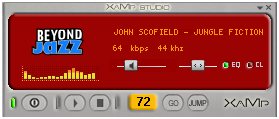
XaMp Studio plays XM Radio from a desktop application. Looks like Winamp and offers more features than the XM web interface. There is a toast notification to tell you when your favorite artist or tune is streaming. Note: don't download the "desktop" edition, as it seems incompatible with Vista and Windows Media Player 11.

DynDNS Updater coupled with the DynDNS service can give any computer a name – even if your ISP hands out dynamic IP addresses. The Updater can run as a Windows service to keep addresses in synch.

FoxIt Reader is a small, fast PDF reader. Scott Hanselman first mentioned Foxit a couple years ago, and the feature list has grown since that time. The only downside is that Foxit does not seem to decrypt password protected PDF files, so no e-book reading with Foxit.  

Robocopy now comes standard in Windows Vista. It's the tool I use for large file operations, particularly when moving bits over the network. Robocopy easily beats copying files using Windows Explorer, after all, the "robo" is short for robust.

There is only one weakness with robocopy. Try copying an Outlook PST file when Outlook is running:


PS> robocopy C:\Users\bitmask\appdata\Local\Microsoft\Outlook d:\temp outlook.pst

-------------------------------------------------------------------------------
   ROBOCOPY     ::     Robust File Copy for Windows
-------------------------------------------------------------------------------

  Started : Tue Jul 24 12:33:20 2007

   Source : C:\Users\bitmask\appdata\Local\Microsoft\Outlook\
     Dest : d:\temp\

    Files : outlook.pst

  Options : /COPY:DAT /R:1000000 /W:30

------------------------------------------------------------------------------

                           1    C:\Users\bitmask\appdata\Local\Microsoft\Outlook\
  0.0%      New File             856.3 m        Outlook.pst
2007/07/24 12:33:20 ERROR 33 (0x00000021) Copying File C:\Users\bitmask\appdata\Local\Microsoft\Outlook\Outlook.pst
The process cannot access the file because another process has locked a portion of the file.
Waiting 30 seconds...

Which brings me to my "last but not least" entry: Hobocopy.

PS> .\hobocopy C:\users\bitmask\appdata\local\microsoft\outlook\ d:\temp outlook.pst
HoboCopy (c) 2006 Wangdera Corporation. hobocopy @ wangdera.com

Starting a full copy from C:\users\bitmask\appdata\local\microsoft\outlook\ to d:\temp
Copied directory
Backup successfully completed.
Backup started at 2007-07-22 12:46:25, completed at 2007-07-22 12:47:48.
1 files (856.39 MB, 1 directories) copied, 7 files skipped

Hobocopy is Craig Andera's tool that uses the Volume Shadow Service to copy locked files. Pure goodness.

posted by scott with 7 Comments

ASP.NET and Separating Concerns

Ayende had a recent post with the following quote from Nicholas Piasecki:

To me, this discussion all boils down to one thing: the foreach loop. Let's say you want to display a table of sales reports, but after every tenth row, you want to print out an extra row that displays a running total of sales to that point. And you want negative numbers to appear in red, positive numbers to appear in green, and zeros to appear in black. In MonoRail, this is easy; with WebForm's declarative syntax, just shoot yourself in the face right now. Most solutions I've seen end up doing lots of manipulation in the code-behind and then slamming it into a Literal or something, which to me defeats the purpose of the code separation.

Ayende says this is the essence of why he dislikes WebForms. In the comments, someone proposed a rails solution ...

#set ($i = 0)
#set ($running_total = 0)
#foreach ($report in $reports)
#each
    <tr>
        <td>$report.name</td>
        #if ($report.ammount > 0)
            
<div class="green">
        #elseif ($report.ammount < 0)
            
<div class="red">
        #else
            
<div class="black">
        #end
        $report.ammount
</td>
    </tr>

    #set ($running_total = $running_total + $report.ammount)
    #set ($i = $i + 1)
    #between
    #if (($i % 10 ) == 1)
    
<tr class="Running Total">
        <td>$running_total</td>
    </tr>
    #end
#end

... which received praise for elegance. I'm thinking if you really want to intermingle code and markup, than open up an .aspx page and have at it:

<%@ Page Language="C#" %>
<%  
    SalesReport report = new SomeApplicationService().GetSalesReport();
    int rowCount = 0;
    
int runningTotal = 0;
%>
<table>
  <% foreach (Salesperson p in report.SalesPeople) {
     rowCount++;
     runningTotal += p.TotalSales;
  %>
  
<tr>
    <td><%= p.Name %></td>
    
<td>
      <div class="<%= p.TotalSales < 0 ? "red" : p.TotalSales > 0 ? "green" : "black" %>">
        <%= p.TotalSales.ToString("c")  %>
      
</div>
    </td>        
  
</tr>
        
  <%
if(rowCount % 10 == 0) { %>
  
<tr>
    <td>SubTotal:</td>
    <td><%= runningTotal.ToString("c") %></td>
  </tr>
  <% } // end if %>  
<% }
// end foreach %>
</table>

Why throw out the baby with the bathwater?

posted by scott with 11 Comments

Rockville User Group

RockNUG is the newest .NET user group in the vast suburbia of Washington D.C. Their next meeting is on August 8 at Montgomery College, and I'll be there to talk about ASP.NET AJAX. I have one WF book and one Pluralsight T-shirt to give away, too.

Come for the free pizza, and stay for the asynchronous fun!
posted by scott with 3 Comments

Unit Testing with Visual Studio 2008

Unit testing features will now be available in the Professional version of Visual Studio 2008.

Unit testing has been to Visual Studio what Barry Bonds has been baseball – a center of controversy. First there was the Peter Provost petition to include unit testing features in all version of VS. Then there was the highly criticized TDD guidance accompanying the feature. Next came some performance issues and pain while using the shipping version, and most recently, the TestDriven.NET hullaballoo added an emotional charge to the air.

Putting all this behind us - what's new in 2008? I've been working with the latest bits, and I can say:

  1. Performance has improved dramatically.
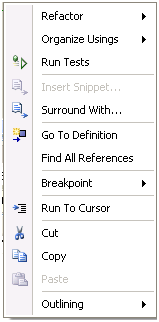
  2. The context-menu command "Run Tests" is new (and context sensitive).
  3. Keyboard shortcuts take away the pain of the VS2005 test runner (Ctrl+R, A to run all tests in a solution, Ctrl+R, T to run tests in the current context).

Moving the unit-testing features into the Pro edition is a great move by Microsoft. I hope the feature gains traction and brings awareness of unit testing into the mainstream (although I think we are already close, aren't we?).

Related Links

Guidelines for Test-Driven Development by Jeff Palermo
Rules to Better Unit Tests by Adam Cogan.

posted by scott with 4 Comments

Automatic Properties

I wrote my first class with automatic properties in Orcas today...

[DataContract(Name="FoodFact")]
public class FoodFactMessage
{
    [
DataMember]
    
public int ID { get; set; }
    
    [
DataMember]
    
public string Name { get; set; }

    [
DataMember]
    
public int Calories { get; set; }
}

... then I found myself staring at the screen.

It's an interface!
No,it's a class!
Wait, it is a class!

I'd say the syntax is still growing on me.

I'm sure some people will say – why use properties at all? If you don't need special code in the get and set methods – why not just use a public field?

The quick answer is: reflection. There are many forms of magic that will only occur if you expose state using public properties.

Related Links

posted by scott with 10 Comments

ASP.NET and ASP.NET AJAX Double Feature

ASP.NET and AJAX Double Feature Class Come join Fritz Onion and myself at a Pluralsight double feature in southern California. Starting October on 22nd, we'll cover everything from JSON spitting web services to the Sharepointy magic of ASP.NET 2.0 web parts.

It's more than a class … it's an experience (and fun, too)!

posted by scott with 1 Comments

The Better Developer Thing

Raymond tags me in every blogging meme, which is great. If it wasn't for Raymond, I wouldn't get to play along.

The current meme is "what I will do to be a better developer in the next 6 months". Bettering is a tough topic to write about, because there are so many ways to get better.

Interviewing Skills

Not interviewing for jobs, but interviewing candidates. Although interviewing isn't strictly a development job – it is a job I am occasionally tasked to do. Good interviewing skills can help you build a great team and contribute to the success of a project and a company. The truth is – I have terrible interviewing skills. My record shows I'm too optimistic about candidates. If left to build a team on my own, I'd end up with something that resembles the 1976 Buccaneers. I need to prepare better, and have a plan in place to dig deeper in interviews.

Forge Ahead

I feel like I've spent the last 6 months playing catch up on some old technologies (these days – old technology is anything released over 6 months ago – legacy technology is anything released over 18 months ago). While I was catching up to get work done on current projects, exciting changes began to loom on the horizon. LINQ comes to mind as a technology that I think will be huge, and I want to be ready before the next application comes along.

Build Something New

I learn the most when I build working software. To forge ahead I really need to set aside some time, put together some ideas, and build something new. Actually, I do have an idea for a new web site- and one wholly unrelated to technology. The technology I'll use to build the web site? ASP.NET. It's fashionable these days to criticize ASP.NET as a leaky, heavyweight, complicated beast, but I believe it's easy to poke holes in any non-trivial platform. ASP.NET is what you make of it. If you want to swim against the current and make ASP.NET be difficult - it will be difficult. I can't leave the huge feature set, the range of extensibility, and the strong foundation of the CLR and the framework class libraries.

But enough fanboy racket – I gotta build some software, and hopefully have time to blog about it, too.

Tag

Four people, picked at random people from my techie OPML list:

Wayward LINQ Lacky Matt Warren
New and Notable Sam Gentile
Master Microsoft Interviewer Chris Sells
Carnage4Life aka Dare Obasanjo

Will they play the game, too?

posted by scott with 2 Comments

Terminals

Terminals screen shotIf you are a heavy user of remote desktop connections, and you haven't tried Terminals, then give this free, open source utility from CodePlex a try.

"Terminals is a multi tab terminal services/remote desktop client. It uses Terminal Services ActiveX Client (mstscax.dll).
The project started from the need of controlling multiple connection simultaneously."

One of the great features in Terminals is the ability to set up a "group". One click on a group can open multiple RDP sessions at once. Terminals can also auto-scale a remote desktop to the window size, and setup a default desktop share for drag and drop operations into the remote desktop window.

Tip: If you are using a nonstandard port for RDP, don't enter the port number with the computer name (machine.foo.com:3399). This syntax doesn't work in Terminals. Instead, enter the port in the Remote Server Port textbox on the Advanced settings tab.

posted by scott with 9 Comments

Closure On JavaScript Closures

At the end of the last post, we looked at a function named createDelegate. The createDelegate function constructed a nested function named shim, and shim created all the magic we needed to invoke an object's method during a button click event. In this post we'll finally put the topic to rest.

First, we have to cover an important topic: scope.

Scope

A variable's scope defines where the variable can be used. In JavaScript there is really only local scope and global scope. Notice that local variables will hide global variables of the same name.

var x = 10;

function f()
{    
    {
        
// no block scope in ECMAScript -
        // this x is available everywhere inside f()
        var x = 20;    
    }

    alert(x);
}

f();      
// this displays 20
alert(x);  // this displays 10

Nesting a function inside a function is essentially nesting a local scope inside a local scope. Note that functions have access to all the variables and arguments in all their ancestor's scopes (as long as the variables aren't hidden by a local variable).

var x = 10;

function f()
{    
    
var y = 15;
    
    
function g()
    {
        
var z = 25;
        alert(x+y+z);    
    }    
    g();
}

f();
// this displays 50

The above behavior is what we expect after reading section 10 of the ECMAScript standard. JavaScript creates a new activation object for each scope. The activation object references all function arguments and variables in the scope. The activation objects become part of a scope chain that JavaScript will traverse when trying to find a variable. The following diagram is a conceptual model of all these players, with red brackets indicating scope, red circles indicating activation objects, and blue lines indicating the scope chain.

When we ask for the value of x inside function g(), JavaScript looks at activation object for the innermost scope, but doesn't find x, so it moves to the parent scope, but still doesn't find x. Finally, the runtime looks at the global scope and finds x. If the engine had found x in a nested scope, it wouldn't have gotten to the x in the global scope.

Knowing what we know now, what does the following code display?

var x = 10;

function printIt(y)
{
    
function doAlert()
    {
        alert(x+y)
    }
    
    doAlert();
}

printIt(5);

The answer is 15. The innermost function has access to both the incoming y parameter of printIt and the global variable x thanks to the scope chain. Now, let's add a twist.

Closures

Instead of having the printIt function invoke doAlert, let's return doAlert as an object and execute the function from global scope.

var x = 10;
var y = 20;

function makePrintIt(y)
{
    
return function doAlert()
    {
        alert(x+y)
    }      
}

var f = makePrintIt(5);
f();

Returning a function object creates a closure, which Wikipedia defines as "a function paired with an environment". Generally speaking, when a function like makePrintIt() exits, all the local variables and arguments are lost. A closure, however, closes over its environment and keeps these local variables and arguments alive. The function captures its execution environment.

Looking at our conceptual diagram above, it's easy to see how a JavaScript engine might implement a closure*. All a nested function has to do is carry a reference to its activation object, which will keep all the variables and arguments in the scope chain alive.

If you've gotten a good grip on closures, then you'll realize the last code snippet will display 15. Since doAlert captured its execution environment, it will use the y value of 5 that was passed into makePrintIt, not the y value of 20 that exists at global scope. Thanks to closures, JavaScript functions always execute with their lexical scope (where they appear in the source code).

Finally, every call into makePrintIt() creates a new closure by pairing a function object with its unique execution environment. That means the following code prints 10, then 15.

var x = 5;

function makePrintIt(y)
{
    
return function doAlert()
    {
        alert(x+y)
    }      
}

var f1 = makePrintIt(5);
var f2 = makePrintIt(10);

f1();
f2();

With this understanding of closures, I hope you can look at the implementation of Function.createDelegate and understand what is happening!

* The ECMAScript standard only describes how the interpreter has to behave. How scope chains and closures are actually realized is an implementation detail.

posted by scott with 5 Comments

Putting Function.apply() to Work

In the last post I demonstrated how you can fiddle with the this reference during a method invocation using Function.call and Function.apply. After reading that post, you should understand why Function.apply was the most interesting method to us. It's because we can use apply() to specify the this reference for an arbitrary target method, and also pass-through an argument list to that target method via the arguments identifier.

With the above understanding in place, let's look at the following code.

<input type="button" id="submitButton" value="Press Me!" />

<
script type="text/javascript">

    function MagicButtonManager(buttonId, message)
    {
        
this._message = message;
        
var btn = document.getElementById(buttonId);
        
        btn.onclick =
// what do we here do here?
    }
    
    MagicButtonManager.prototype.showMessage =
function()
    {
        alert(
this._message);
    }

    
var m = new MagicButtonManager('submitButton', 'Hello World!');

</script>

How do we get the onclick event to invoke our showMessage() method using the correct this reference? We've already seen this approach doesn't work:

btn.onclick = this.showMessage;

Inside of showMessage(), the this reference will point to the submit button instead of a MagicButtonManager instance, and this._message will be undefined. We've assigned a function object to the onclick event. The button does not invoke that function through an instance of the MagicButtonManger (which would correctly setup the this reference) - it just directly invokes that function.

What we need to do is trick the button into calling showMessage via our instance of the MagicButtonManager, right? As in: manager.showMessage();. Unfortunately, the only thing the event handler knows how to do is invoke a function. It doesn't know how, given an object, to "dot operate" (did I just invent a verb?) and invoke a specific method on that object. Here then, is what we know so far:

  • We need to give the button a function object to invoke.
  • To setup the correct this reference for showMessage(), we don't necessarily need to invoke showMessage via a MagicButtonManager instance - we can also use Function.apply().

What our createDelegate function was doing in a previous post (and what the ASP.NET AJAX Function.createDelegate method essentially does), is this:

function createDelegate(object, method)
{
    
var shim = function()
                {
                    method.apply(object, arguments);
                }

    
return shim;
}

// ...
btn.onclick = createDelegate(this, this.showMessage);

Here we are creating a new function object, a shim if you will. When this shim is invoked, it will use apply() on the incoming method parameter, which invokes that specified method. The shim will pass object as the this reference for apply to setup, and the shim does a "pass-through" of all its incoming arguments using the arguments identifier.

The createDelegate function returns a shim as a result. We can assign the return value of createDelegate to an event, so the event can invoke the shim function. When the event fires and shim executes, our this reference is correct thanks to the magic of apply.

Everything works now. Thank you, and goodnight.

What's that? Something doesn't make sense?

We've covered apply and arguments in great detail, so I assume if you are sticking around you might be puzzled by the shim function. How does shim remember the method and object parameters? Since method and object are arguments to createDelegate - don't they go out of scope when createDelegate exits on the closing curly brace? Aren't those function arguments blown away with the crackling pop of a stack frame? Wouldn't those arguments be long gone by the time the button event executes the shim function?

Hang on for one more post...

posted by scott with 4 Comments

Function.apply and Function.call in JavaScript

In order to explain how the createDelegate function works in the last post, we have to understand JavaScript closures and Function.apply(). The apply() method is the easiest subject to tackle, so we'll start there and work up.

Every function in JavaScript has a number of attached methods, including toString(), call(), and apply(). If it sounds odd to you that a function might have its own methods - then remember that every function in JavaScript is an object. Read this article for a refresher. You might also wonder what the difference is between a function and a method. I believe the descriptors 'function' and 'method' are just a JavaScript convention. Functions stand on their own (there is an alert() function, for example), while methods are functions inside an object's dictionary, and we invoke them through the object reference. Every JavaScript object has a toString() method, for example, and we can use the toString() method on a function object to see its source code:

function foo()
{
    alert(
'x');
}

alert(foo.toString());

Because functions are objects they can have their own properties and methods, and we can treat them like data. "Functions as data" is important to remember for the next post, too, but for now we'll focus on two of a function's methods: apply(), and its counterpart: call().

Let's start with the following code:

var x = 10;

function f()
{
    alert(
this.x);
}

f();

Here we have a global function by the name of f(). f() uses the this keyword to reference x, but notice we don't invoke the function through an instance of an object. So what object does this reference? this will reference the global object. The global object is where we defined the variable x. The above code does work and will show the value 10 in a dialog.

Both call() and alert() are methods we can use to assign the this pointer for the duration of a method invocation. As an example, here is how we could use the call() method:

var x = 10;
var o = { x: 15 };

function f()
{
    alert(
this.x);
}

f();
f.call(o);

The first invocation of f() will display the value of 10, because this references the global object. The second invocation (via the call method) however, will display the value 15. 15 is the value of the x property inside object o. The call() method invokes the function and uses its first parameter as the this pointer inside the body of the function. In other words - we've told the runtime what object to reference as this while executing inside of function f().

Fiddling with the this pointer might sound funny, even perverse, to C++, Java, and C# programmers. What's next? Dogs sleeping with cats? Working nVidia drivers for Windows Vista? It's all part of the fun that is ECMAScript.

We can also pass arguments to the target function via call():

var x = 10;
var o = { x: 15 };
function f(message)
{
    alert(message);
    alert(
this.x);
}

f(
"invoking f");
f.call(o,
"invoking f via call");

The apply() method is identical to call(), except apply() requires an array as the second parameter. The array represents the arguments for the target method.

var x = 10;
var o = { x: 15 };
function f(message)
{
    alert(message);
    alert(
this.x);
}

f(
"invoking f");
f.apply(o, [
"invoking f through apply"]);

The apply() method is useful because we can build a function like createDelegate (from the last post) that doesn't care about the signature of the target method. The function can use apply() to pass all additional arguments to the target method via an array. Are we getting close to a curry function?

var o = { x: 15 };

function f1(message1)
{
    alert(message1 +
this.x);
}

function f2(message1, message2)
{
    alert(message1 + (
this.x * this.x) + message2);
}

function g(object, func, args)
{
    func.apply(object, args);
}

g(o, f1, [
"the value of x = "]);
g(o, f2, [
"the value of x squared = ", ". Wow!"]);

The problem here is the awkward syntax. We are forcing the caller to stuff arguments into an array just so we call apply(). Fortunately, there is a way to make the syntax easier, but we have to introduce one more topic: the arguments identifier.

In JavaScript, every function essentially has a variable length argument list. The means we can pass 5 parameters to a function even if the function only uses one argument. The following runs without error and displays "H":

function f(message)
{
    alert(message);
}

f(
"H", "e", "l", "l", "o");

If we did want to access the other arguments from inside f(), we can use the arguments keyword. arguments references an Arguments object, which has a length property and feels like an array.

function f(message)
{
    
// message param is the same as arguments[0]    
  
    
for(var i = 1; i < arguments.length; i++)
    {
        message += arguments[i];
    }
    
    alert(message);
}

// this will say "Hello"
f("H", "e", "l", "l", "o");

Just so you know, arguments is technically not an array, even if it walks and talks like one. arguments has a length property but no split, push, or pop methods. What we can do with arguments inside our previous g() function is copy the incoming arguments after arguments[1] into an array object that we pass to apply.

var o = { x: 15 };

function f(message1, message2)
{
    alert(message1 + (
this.x * this.x) + message2);
}

function g(object, func)
{          
    
// arguments[0] == object
    // arguments[1] == func


var args = []; // empty array
    // copy all other arguments we want to "pass through"
    for(var i = 2; i < arguments.length; i++)
    {
        args.push(arguments[i]);
    }

    func.apply(object, args);
}

g(o, f,
"The value of x squared = ", ". Wow!");

When we invoke g(), we can pass additional arguments as parameters instead of stuffing the arguments into an array.

At this point, we have the theoretical knowledge needed to understand call and apply, but perhaps you are already asking a question: what if I don't want to immediately invoke the target function f()? What if I just want to arrange all the players in this little drama so that I can invoke f() at some later point (as an event handler, for example), but still have this referencing the desired object (whithout tracking the desired object myself). In an upcoming post, we'll see how to combine our Function.apply and arguments knowledge with the concept of nested functions and closures to answer this very question.

posted by scott with 5 Comments

JavaScript's Slippery this Reference and Other Monsters in The Closet

One problem in WWWTC # 16 is the assumptions Estelle makes about this. In C# you don’t need to explicitly use the this keyword to reference an instance field from inside an instance method. It’s tempting to write a method like Estelle’s …

InputManager.prototype.resetToInitialValue = function()
{
    _input.value = _initialValue;
}

… only to find out the method tries to access a global variable named _input and a global variable named _initialValue. In ECMAScript we need to explicitly bring this into play to reference entries in the object’s own dictionary:

InputManager.prototype.resetToInitialValue = function()
{
    
with(this)
    {    
        _input.value = _initialValue;
    }    
    
// OR
    this._input.value = this._initialValue;
}

Thanks to delegate inference in C#, it’s also tempting to think we can assign an instance method to a DOM event …

function InputManager(input)
{
    
this._input = input;
    
this._initialValue = input.value;
    
    
// won't work
    this._input.ondblclick = this.resetToInitialValue;
}

… only to find out we’ve simply given the DOM event a reference to a function object. The DOM element will happily invoke the function directly and without using an instance of an InputManager object. Our this reference inside of the resetToInitalValue function is then useless. Similar code in C# will work, because the C# compiler will magically create a delegate behind the scenes, and that delegate will manage an object reference, and invoke an instance method through that object reference.

There are mechanisms in ASP.NET AJAX to fix the above scenario, but in the end it boils down to giving the DOM element a function object that can remember the proper this reference. A simple approach would look like:

function createDelegate(object, method)
{
    
return function() { method.apply(object, arguments); }
}

function InputManager(input)
{
    
this._input = input;
    
this._initialValue = input.value;
    
this._input.ondblclick = createDelegate(this, this.resetToInitialValue);
}

Here we are using the magic of a JavaScript closure to create and return a new function object from inside createDelegate. The DOM event will reference this new function object. When this new function object is invoked by the DOM element, the new function sets up a proper invocation of resetToInitialValue by using Function.apply and passing through the InputManager reference to use as the this reference.

We’ll explain this topic of closures and Function.apply more thoroughly in the future.

Those fixes should get the code working for now, but what else in that code was a monster in the closet?

For one, the event handler registration could use some work. There are tons of JavaScript code and articles written on the topic of how to do safe, non-desctuctive, cross-browser event registrations, so for now I’ll just say if you are using something like ASP.NET AJAX’s $addHandler technique your code will improve over the above approach.

Secondly, it’s good practice to clean up event registrations. The code sets up a scenario where each InputManager holds a reference to DOM element (in the _input field), and that same DOM input holds a reference back to it’s InputManager (via the function object / event handler that formed a closure over the InputManager instance). In the past, these circular references created memory leaks and were a common “memory leak pattern” in Internet Explorer. I say “in the past” because these problems are fixed in IE7 (and in IE6 (with an update)). Still, the generally accepted practice in today’s AJAX patterns is to clean up afterwards, which feels like the right thing to do as not all browsers are perfect in figuring out these circular references.

posted by scott with 5 Comments

What’s Wrong With This Code (#16)

It’s been some time since the last WWTC, but Estelle Hertz is still cranking out software. This time Estelle was asked to write some JavaScript code for a web page with hundreds of textbox input controls (the page collects details for a life insurance policy). When a user double clicks on any textbox on the page, the textbox should reset itself to its initial value (the value in the control when the page first loaded).

Estelle has yet to experience all the slippery pitfalls in JavaScript development, and writes the following code:

<%@ Page Language="C#" %>

<html xmlns="http://www.w3.org/1999/xhtml">
<
body>
    <form id="form1" runat="server">
        <div>
            <input id="Text1" value="default" type="text" />
            <%-- and so on for a 100 textbox controls --%>
        
</div>
    </form>
</
body>
</
html>

<
script type="text/javascript">

function
InputManager(input)
{
   
this._input = input;
   
this._initialValue = input.value;
   
this._input.ondblclick = this.resetToInitialValue;
}

InputManager.prototype.resetToInitialValue =
function()
{
    _input.value = _initialValue;
}

var inputs = document.getElementsByTagName("input");
for(var i = 0; i < inputs.length; i++)
{
    
if(inputs[i].type != "text")
        
continue;
        
    
var manager = new InputManager(inputs[i]);
}

</script>

Anyone spot a problem? Two problems? Three problems? Could there be possibly be more than three problems in the 20 line hunk of script?

posted by scott with 10 Comments

A System.Configuration Object Represents a Merged Configuration View

Look! Actual ASP.NET content is back!

The documentation for WebConfigurationManager.OpenWebConfiguration says:

"Opens the Web-application configuration file as a Configuration object using the specified virtual path to allow read or write operations."

This might lead you to think you'll only find stuff from a single web.config file in the returned Configuration object - but this isn't true. The following code will return the extensions and paths mapped to the web forms PageHandlerFactory for "MyWebSite".

IEnumerable GetPageHandlerFactoryExtensions()
{
    
string sectionName = "system.web/httpHandlers";
    
string pageHandlerFactoryName = typeof(PageHandlerFactory).ToString();

    
Configuration config =
        
WebConfigurationManager.OpenWebConfiguration("/MyWebSite");
    
HttpHandlersSection handlersSection = config.GetSection(sectionName)
                          
as HttpHandlersSection;

    
foreach (HttpHandlerAction httpHandlerAction in handlersSection.Handlers)
    {
        
if(httpHandlerAction.Type == pageHandlerFactoryName)
        {
            
yield return httpHandlerAction.Path;
        }
    }      
}

... and you should at least get a result of ".aspx". This ".aspx" entry probably isn't in the web.config for "MyWebSite", but it is in the machine level web.config file (found in %Windows%\Microsoft.NET\Framework\v2.0.50727\CONFIG) by default. 

Remember .NET configuration files are hierarchical, and if you look at the documentation for System.Configuration you'll find (emphasis mine):

The Configuration class instance represents the merged view of the configuration settings that apply to a specific physical entity, such as a computer, or to a logical entity, such as an application, or a Web site.

posted by scott with 1 Comments
