
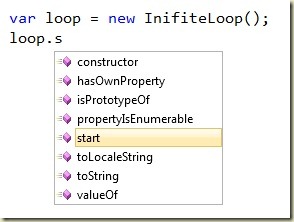
After I installed Visual Studio 2010 I was having a difficult time editing .js files in Visual Studio. I habitually type the "(" character as soon as the function I want to call is highlighted in the Intellisense window, but in 2010 this behavior was no longer auto-completing the function name.
At first I thought this behavior was due to the new "suggestion mode" in Intellisense, but no amount of toggling with CTRL+ALT+SPACE would bring back the auto-complete behavior.
It turns out the two Intellisense modes (completion mode and suggestion mode) are not included for every editor ("JScript" being a notable omission). After some digging I found I could change this behavior by going to Tools -> Options -> Text Editor -> JScript -> Miscellaneous and unchecking the "Only use Tab or Enter to complete" option.
Hope that helps.

 OdeToCode by K. Scott Allen
 Subscribe
 Twitter
 Search
 About
About
 Learn C#